St. Peter Life Plan: Face to Face vs Online Application – A Simple Guide for Better Understanding

St. Peter Life Plan
Face to Face / Branch Application
- Payments via agent, collector, branch, or online channels
- No access to personal website account; payment history is not viewable online
- For any changes, updates, or concerns, you need to visit or coordinate with the branch
- Manual verification of payments is required
- Requires follow-up for updates and confirmations
- Personal assisted handling
Best for clients who prefer guided and personal assistance.
Online Application
- Automatic system registration
- Your contract insurance coverage and official receipt can be viewed via your email account
- You have your own St. Peter website account with full access anytime
- Real-time payment updates
- Full access anytime, anywhere
- You can request changes or update personal details online
- Official receipts are automatically sent to your email account
- Faster processing and inquiries
- Less manual follow-ups
Best for clients who value convenience, transparency, and digital access.
HOW ONLINE PURCHASE WORKS
1. CLICK "BUY NOW"
Click “Buy Now” on your preferred plan to start your application process instantly.
2. SELECT PAYMENT
Pick Spot Cash or Installment term, then add your selected plan to cart for processing.
3. SIGN IN / REGISTER
Login or create your eStore account. Prepare 2 valid IDs and your e-signature.
For Agent Reference: Please enter Agent Code: GERA6784
I will be the one to assist you, answer your inquiries, guide you, and monitor your plan updates.
4. PAY & DONE
Complete your payment and receive instant confirmation in your account.
Why Availing St. Peter Life Plan Online is Easy, Safe, Convenient, and Hassle-Free
Introduction
Why Online Availing is Better
1. Easy Online Application
You can apply for a plan directly online using your phone or computer. No need to travel or wait in long queues. Everything is processed digitally for faster convenience.
2. Safe and Secure Process
Online applications are handled through secure systems. Your personal information and payment details are protected, ensuring a safe transaction experience.
3. Convenient Anywhere, Anytime
You can inquire, apply, and manage your plan anytime you want—whether at home, at work, or even while traveling. Everything is accessible 24/7.
4. Hassle-Free Assistance
Online agents and support teams guide you step-by-step. You don’t need to figure everything out alone—help is always available through chat, call, or message.
Final Thought
St. Peter eStore FAQ
How can I buy a St. Peter Life Plan online?
To buy a St. Peter Life Plan online, you need to provide the following information:
- Full Name
- Nationality
- Mobile Number
- Email Address
- Date of Birth
- Complete Address
- Beneficiary/ies
Required Documents:
- Valid Government ID
- Specimen Signature
How can I create a St. Peter eStore account?
- Go to registration page
- Fill out required details
- Enter OTP sent to your mobile
- Confirm and activate your account via email
How can I pay a St. Peter Life Plan online?
- Go to payment portal
- Enter your contract number/details
- Click SEARCH
- Select payment method
- Click PAY NOW
How can I request plan documents?
- Login to eStore account
- Go to document request section
- Submit OTP verification
If requesting via branch:
- Affidavit of Loss
- 2 Valid IDs
- Payment for replacement fee
I forgot my password. What should I do?
- Click “Forgot Password”
- Enter registered email or mobile number
- Receive OTP verification
- Check email for temporary password
How can I reset my password?
- Login to your account
- Go to Profile settings
- Click Change Password
- Enter new password and confirm OTP
I no longer have my registered mobile number. How can I log in?
- Update your mobile number in Profile settings
- Verify using registered email
- Confirm OTP verification
What is the 15-day free-look period?
The 15-day free-look period allows planholders to cancel their plan within 15 days from purchase and receive a full refund.
Can I still cancel after 15-day free-look?
Yes, cancellation is still possible but refund will depend on the termination value of the plan.
How can I enroll for auto-payment?
- Login to eStore account
- Add your card details
- Verify via OTP
- Confirm enrollment
How to reinstate my plan?
- Login to your account
- Go to Manage Plan
- Select Reinstate option
- Confirm via OTP
How do I remove auto-payment enrollment?
- Go to Auto Payment settings
- Select active plan
- Click Deactivate
- Remove saved card
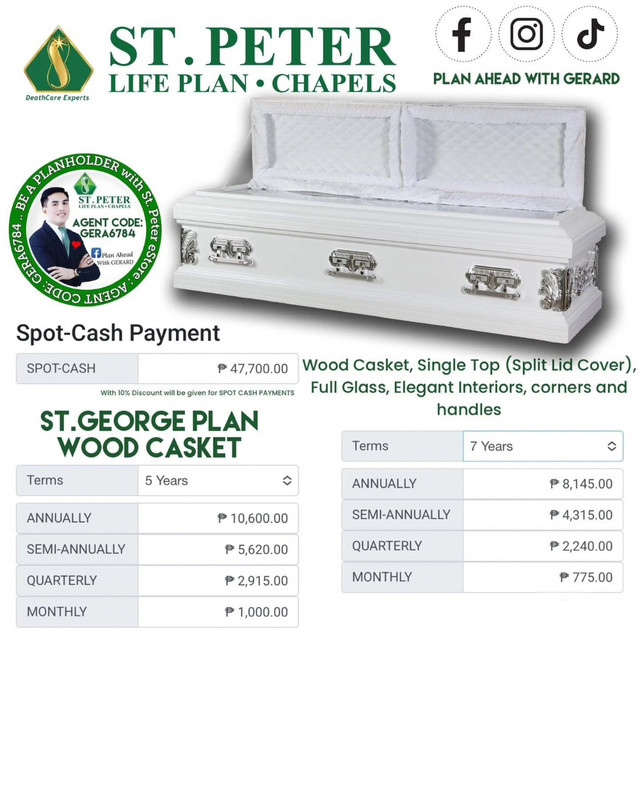
Gerard Jude Orbase
Agent Code: GERA6784
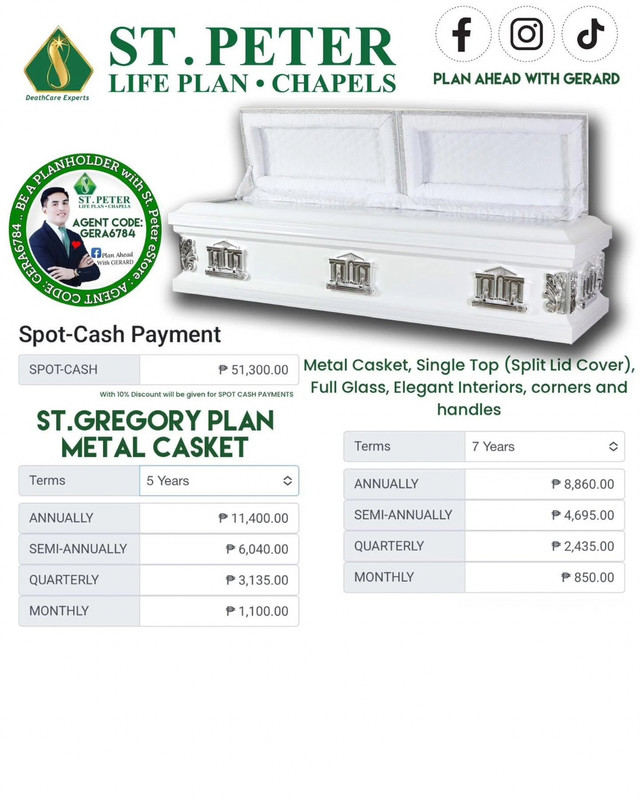
Gerard Jude Orbase
Agent Code: GERA6784
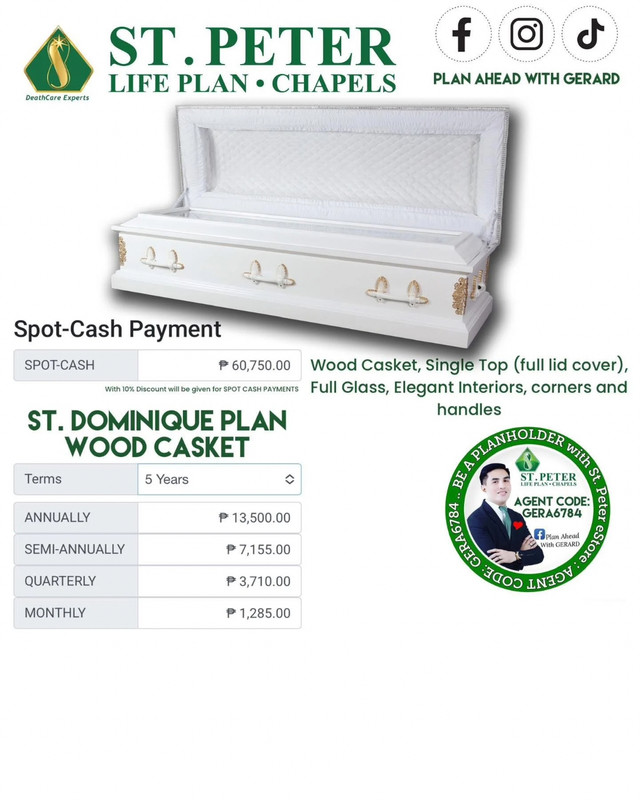
Gerard Jude Orbase
Agent Code: GERA6784

Gerard Jude Orbase
Agent Code: GERA6784

Gerard Jude Orbase
Agent Code: GERA6784

Gerard Jude Orbase
Agent Code: GERA6784
Know Me as Your St. Peter Life Plan Agent
Hello! I’m Gerard Jude Orbase, from Lipa Branch of St. Peter Life Plan. I assist clients nationwide with both face-to-face meetings and online applications.
Experience: 16 years in service as a Financial Consultant & Nationwide Service Agent.
Services Offered:
- Life Insurance & Non-Life Insurance
- HMO Plans
- Memorial Plans & Memorial Lots
This is my Facebook Profile for verification.
Watch my videos on:
- TikTok
- YouTube
I made these links because many clients want to assure that their agent is visible and actively assisting them. Based on my experience, many families I assisted were guided properly even in difficult times. May you also consider me as your agent for your St. Peter Life Plan.


Comments
Post a Comment